Booking.com's Invisible Penalty System
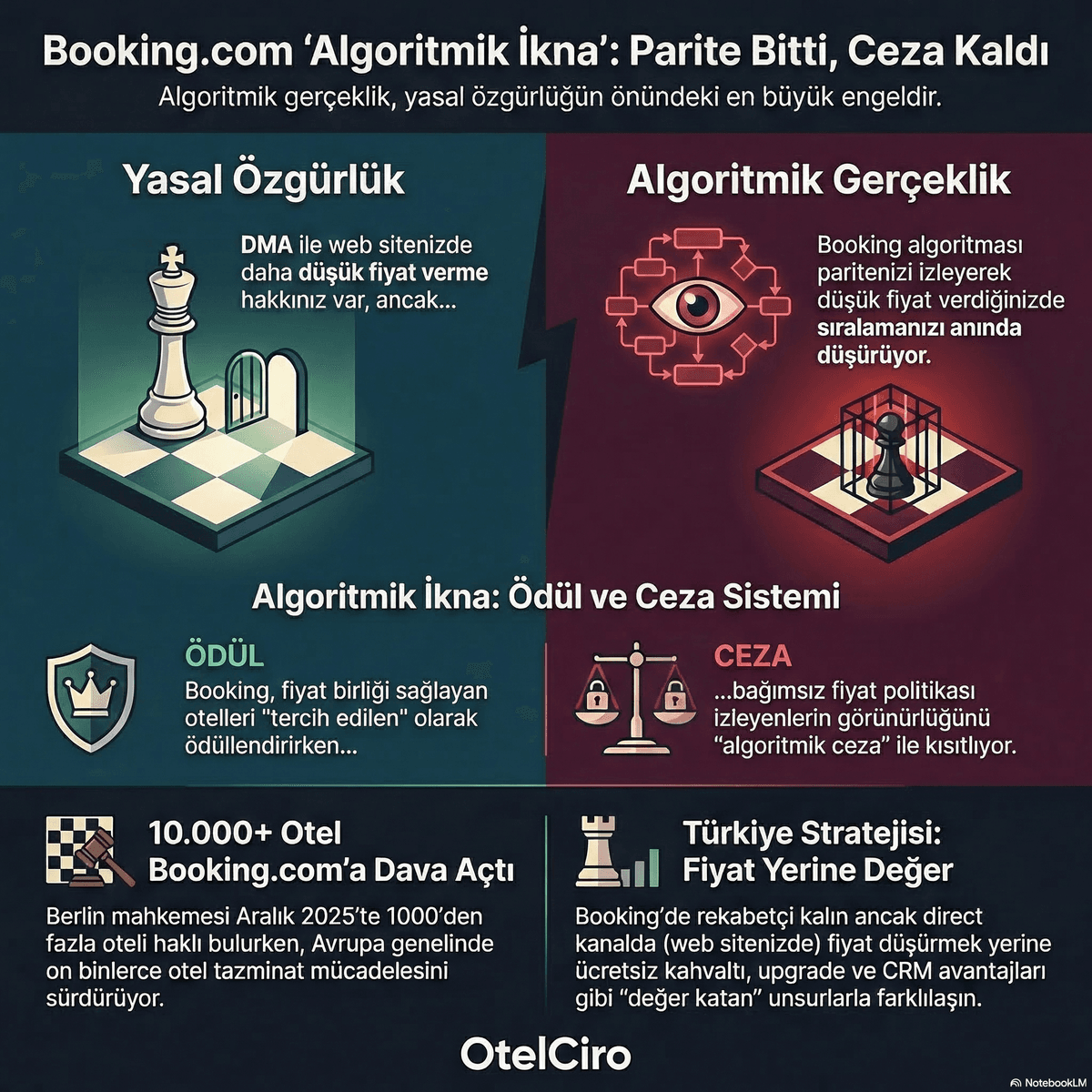
Booking.com does not publicly share its ranking algorithm. However, professionals who have worked in OTA optimization for years have identified specific mistakes that systematically lead to ranking drops. These "hidden penalties" are applied without your awareness and silently erode your hotel's visibility.
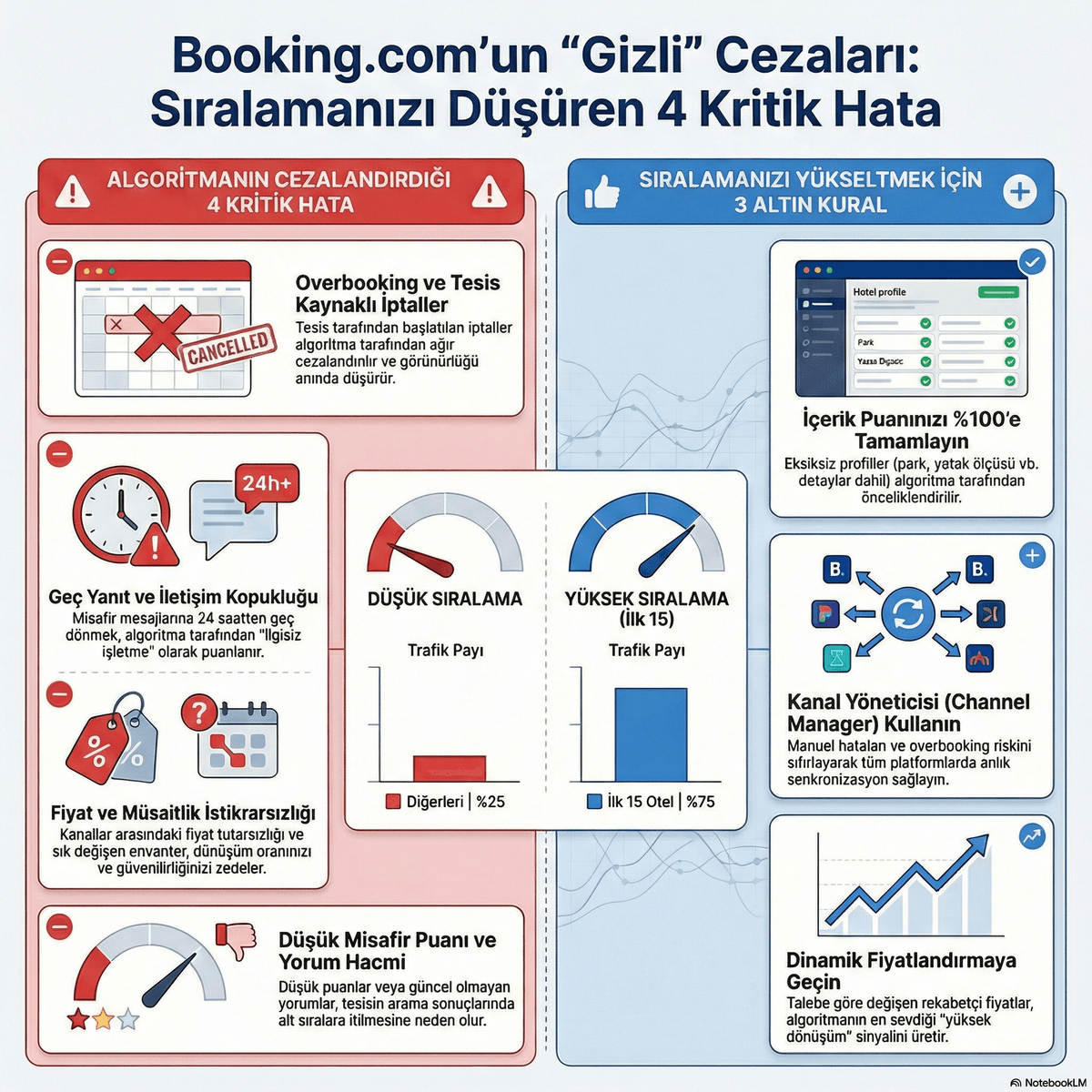
Here are the 4 critical mistakes that damage your ranking and how to protect against them.
Related reading: Booking.com Is Secretly Measuring Your Conversion Rate — And Penalizing You
Mistake 1: Overbooking and Property-Initiated Cancellations
The most heavily penalized mistake on Booking.com is property-initiated cancellations. When a guest makes a booking and the hotel cancels saying "we have no rooms available," Booking.com treats this as a serious violation.
The scale of the penalty:
- Immediate and severe ranking drop
- Loss of the "reliable property" badge
- Platform warnings and potential suspension for repeat offenders
Protection strategy: Synchronize all sales channels with a single channel manager. Manual inventory management multiplies the overbooking risk exponentially.
Embed this image on your site
<a href="https://otelciro.com/en/news/booking-gizli-cezalar">
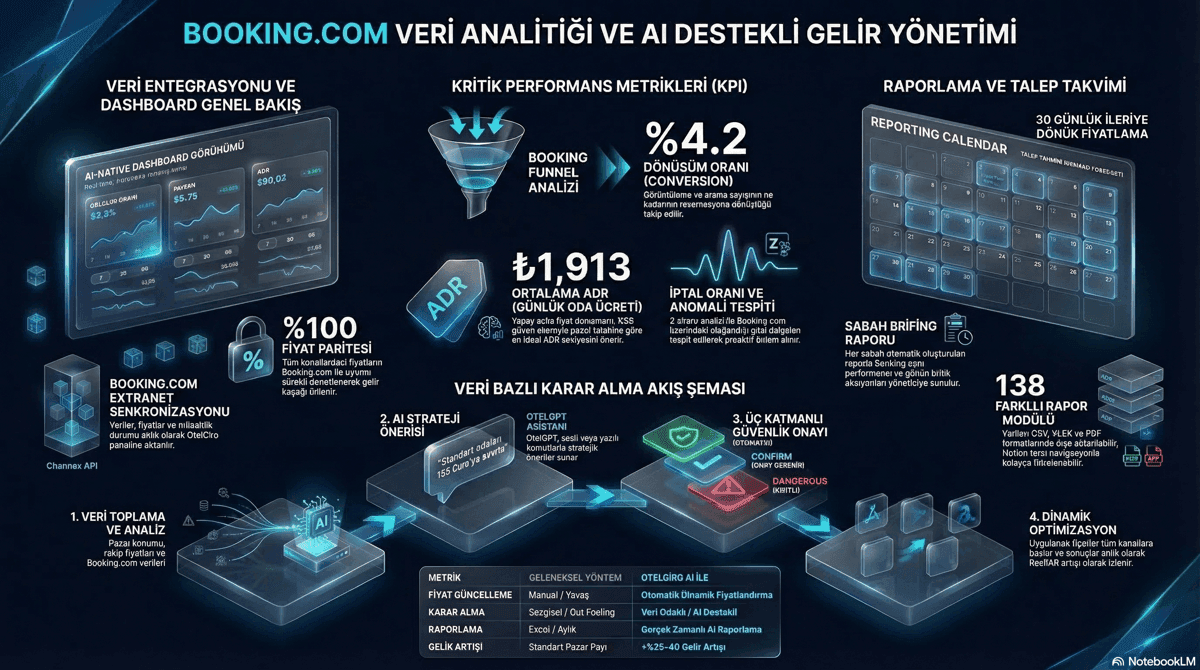
  <img src="https://cdn.sanity.io/images/1la98t0z/production/3dea0fc2fe0cec0bbdee118e6acea2e4936ccb67-1200x670.png" alt="Booking.com extranet reports and analytics dashboard" width="800" />
</a>
<p>Source: <a href="https://otelciro.com">OtelCiro</a> — AI Hotel Revenue Management</p>
Mistake 2: Slow Response Times (24+ Hours)
Booking.com measures your response time to guest messages. Response times exceeding 24 hours result in both ranking penalties and conversion rate declines.
Guests typically message multiple hotels at once. The first hotel to respond is 50% more likely to win the booking.
Recommended targets:
- Message response time: Under 2 hours
- Booking confirmation time: Instant (automatic confirmation)
- Special request response: Under 4 hours
Related reading: Booking.com 2025 vs. 2026: 6 Rules Changed — Hotels Sticking to Old Strategies Are Losing
Mistake 3: Price Instability
Changing prices frequently and erratically — especially with extreme fluctuations — is interpreted as a negative signal by the Booking.com algorithm. The algorithm values pricing reliability.
Problematic pricing behaviors include:
- Price increases or decreases exceeding 50% in a single day
- Inconsistent prices for the same room type
- Extended "closed inventory" followed by sudden reopening
- Prices dramatically above or below competitors
The solution is to apply dynamic pricing strategy systematically and with data. Instead of uncontrolled manual interventions, use algorithm-assisted, gradual price adjustments.
Embed this image on your site
<a href="https://otelciro.com/en/news/booking-gizli-cezalar">
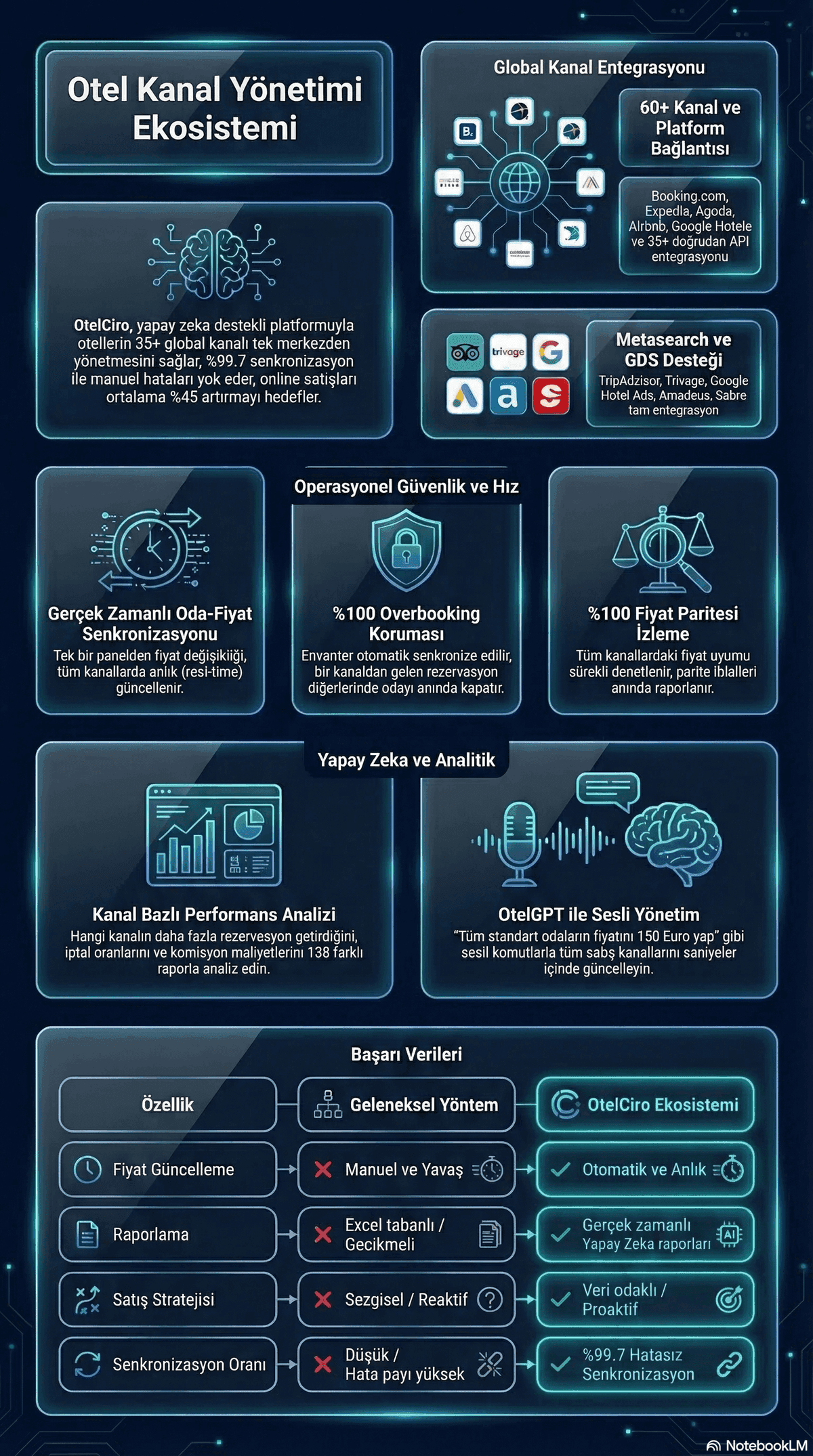
  <img src="https://cdn.sanity.io/images/1la98t0z/production/1c2859c1cc6c68b376c0574bfa625f0cca22ed90-1200x2150.png" alt="Channel management and OTA distribution flow" width="800" />
</a>
<p>Source: <a href="https://otelciro.com">OtelCiro</a> — AI Hotel Revenue Management</p>
Mistake 4: Low Guest Scores
Booking.com uses guest review scores as a core component of its ranking algorithm. Scores below 7.5 create serious ranking disadvantages.
Key scoring categories:
- Cleanliness
- Location
- Staff
- Comfort
- Value for money
- Wi-Fi quality
Targeting 8.0 or above in every category strengthens your ranking. Even a single category scoring below 6.0 will negatively affect your overall ranking.
Related reading: Booking.com 2026: 7 Rules That Changed — If You Don't Know Them, You're Losing
Traffic Distribution: The Power of the Top 15
In Booking.com search results, the first 15 hotels capture 75% of total traffic. This means a hotel that drops out of the top 15 due to hidden penalties loses three-quarters of its traffic.
| Ranking Position | Estimated Traffic Share |
|---|---|
| 1-5 | 45% |
| 6-15 | 30% |
| 16-30 | 15% |
| 30+ | 10% |
3 Golden Rules: Protection Against Penalties
1. Maintain 100% Content Score
Complete your Content Score system fully. This is the algorithm's most basic expectation and serves as a protective shield against ranking penalties.
2. Use a Channel Manager
Use a professional channel manager to eliminate overbooking risk and ensure consistent inventory management across all channels.
3. Implement Dynamic Pricing
Use an AI-powered dynamic pricing system to protect against price instability penalties. Choose data-driven, gradual adjustments over uncontrolled manual price changes.
Frequently Asked Questions
How can I tell if Booking.com has penalized me?
Booking.com does not send "you have been penalized" notifications. However, if you observe sudden drops in page views, decreasing conversion rates, and ranking losses in your Booking.com Extranet metrics, you have most likely received an algorithmic penalty.
How long does it take to recover ranking after a penalty?
It depends on the type of mistake. Overbooking-related penalties show recovery in 2-4 weeks, low score penalties take 1-3 months, and price instability penalties clear within 2-6 weeks — provided the mistake is not repeated.
Does joining the Genius program offset penalties?
The Genius program provides ranking advantages but does not directly offset hidden penalties. You must first eliminate the causes of the penalty, then implement all strategies including Booking.com mobile ranking optimization.
Conclusion
Booking.com's hidden penalties silently erode your hotel's revenue. Overbooking, slow responses, price instability, and low scores — eliminating these four mistakes is the fundamental requirement for protecting and improving your ranking.
OtelCiro's Booking.com optimization system automatically detects penalty risks, sends real-time alerts, and continuously monitors your ranking performance. Request a free health check for your hotel's Booking.com presence.
![7 Advanced OTA Sales Tactics That Work [2026]](https://cdn.sanity.io/images/1la98t0z/production/0d8634b7f4d9033b08b65800012ec64261df48bc-1200x1200.png?w=1920&q=50&auto=format&fit=max)
![Booking.com Genius [2026]: Join, Leave or Optimize?](https://cdn.sanity.io/images/1la98t0z/production/fabaf8b8918404681f00de3f00e368aac91c9744-1200x1200.png?w=1920&q=50&auto=format&fit=max)